Poopaya Gold
Poopaya Gold is the paid upgrade. To restore it on a new phone, tap the gear icon, then Restore Purchases. To manage or cancel it, tap Manage Subscription in the same place, or go to your iPhone’s Settings app, tap your name, then Subscriptions.
Logging is free. Gold adds the tools that show you what your logs say.
What stays free
- Logging movements, including attempts where nothing came out, with every field on the form
- Your History calendar and list, editing, and adding a day you missed
- Medications, including GLP-1s and dose changes, and diets
- Exporting your data as a CSV file
- One daily reminder
- The Toolkit’s six questions and the whole tactic library
- Siri and Shortcuts
There’s no limit on how much you log, and nothing you’ve logged is ever locked away.
What Gold adds
- Charts: your trends over time.
- Insights: your scores, recent changes, streaks and milestones, and the patterns Poopaya finds in your logs.
- More than one reminder: say, a morning one and an evening one.
- Face ID Lock: locks Poopaya behind Face ID, or your passcode on a phone without it.
- Toolkit matches and experiments: your top matches, and running a tactic as a guided experiment.
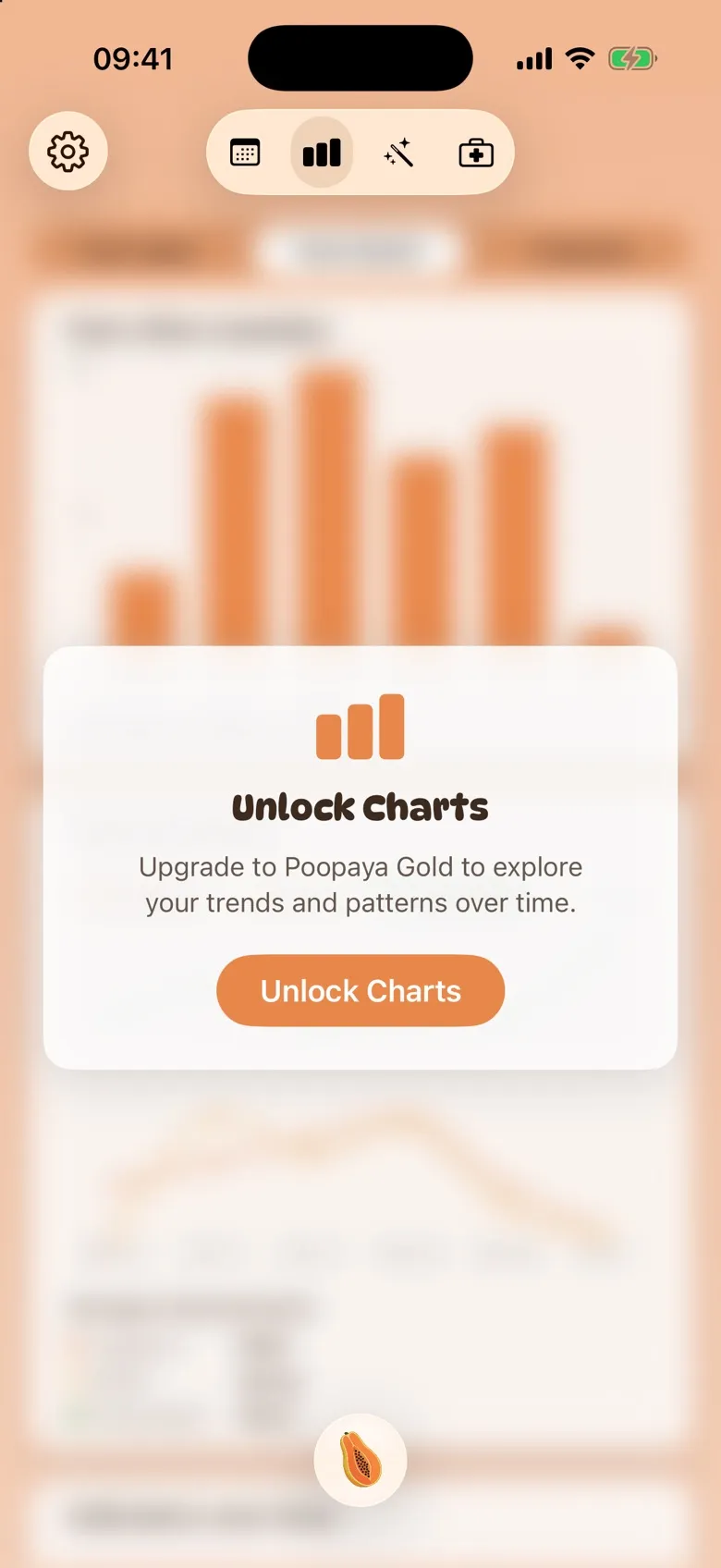
Without Gold, tapping any of these opens the Gold screen. Some show a prompt first, such as Unlock Charts, Unlock Insights, Unlock with Gold or Try it with Gold.
Get Gold
Step 1: Open the Gold screen
Tap any Gold prompt, for example Unlock Charts on the Charts tab. The Gold screen opens with the plans you can pick from. Its headline depends on where you opened it.
Step 2: Pick a plan
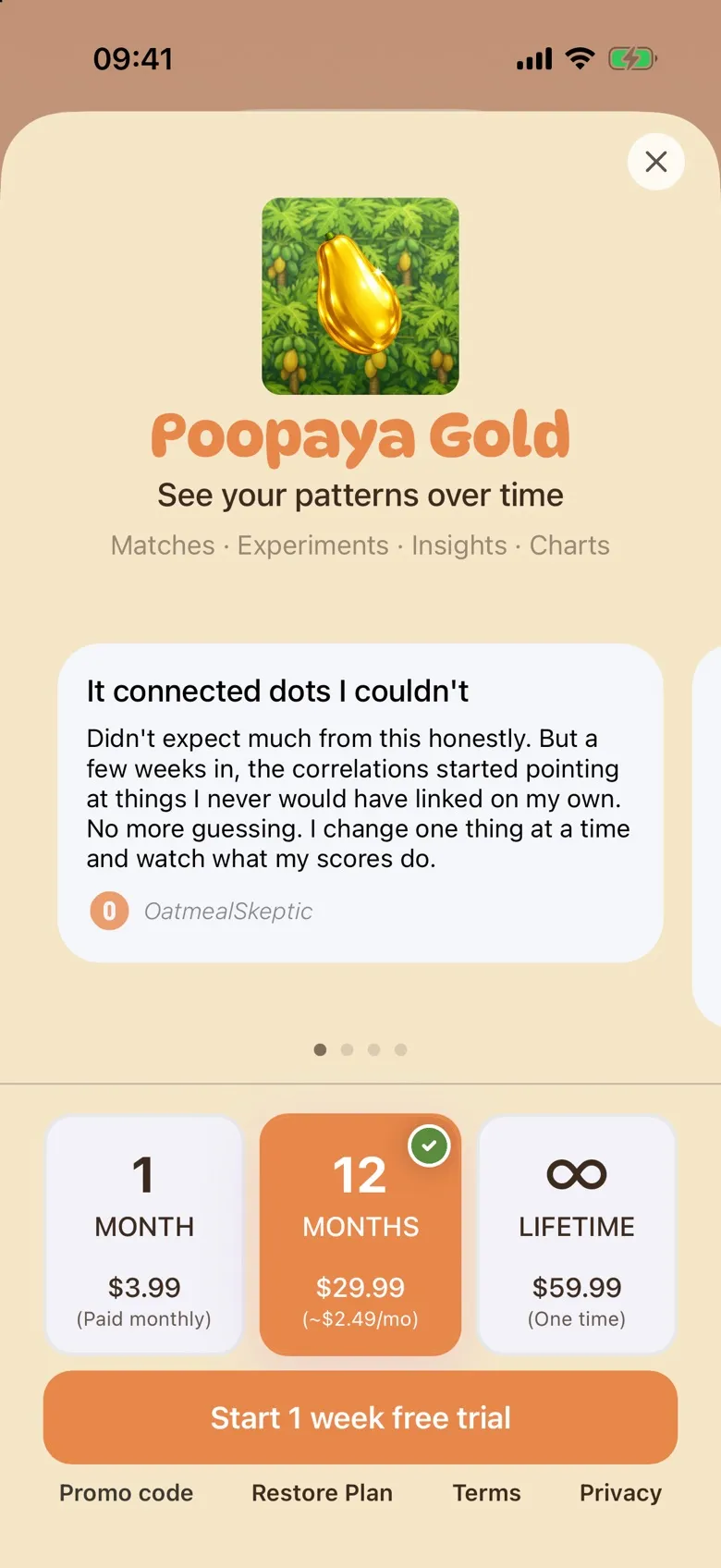
In the US, Gold costs $3.99 a month, $29.99 a year, or $59.99 once for lifetime access. Prices vary by country. The Gold screen shows your price, and the App Store asks you to confirm before you’re charged.
The yearly plan starts with one week free, as long as your Apple ID hasn’t had a Poopaya Gold trial before. When the trial is on offer, the button says so. The monthly and lifetime plans have no trial. If you don’t want to be charged for the year, cancel at least a day before the week is up. You keep Gold until the trial ends.
Restore Gold on a new phone
Gold belongs to your Apple ID, not to the phone. On a new or reset iPhone, sign in with the Apple ID you bought Gold with, then:
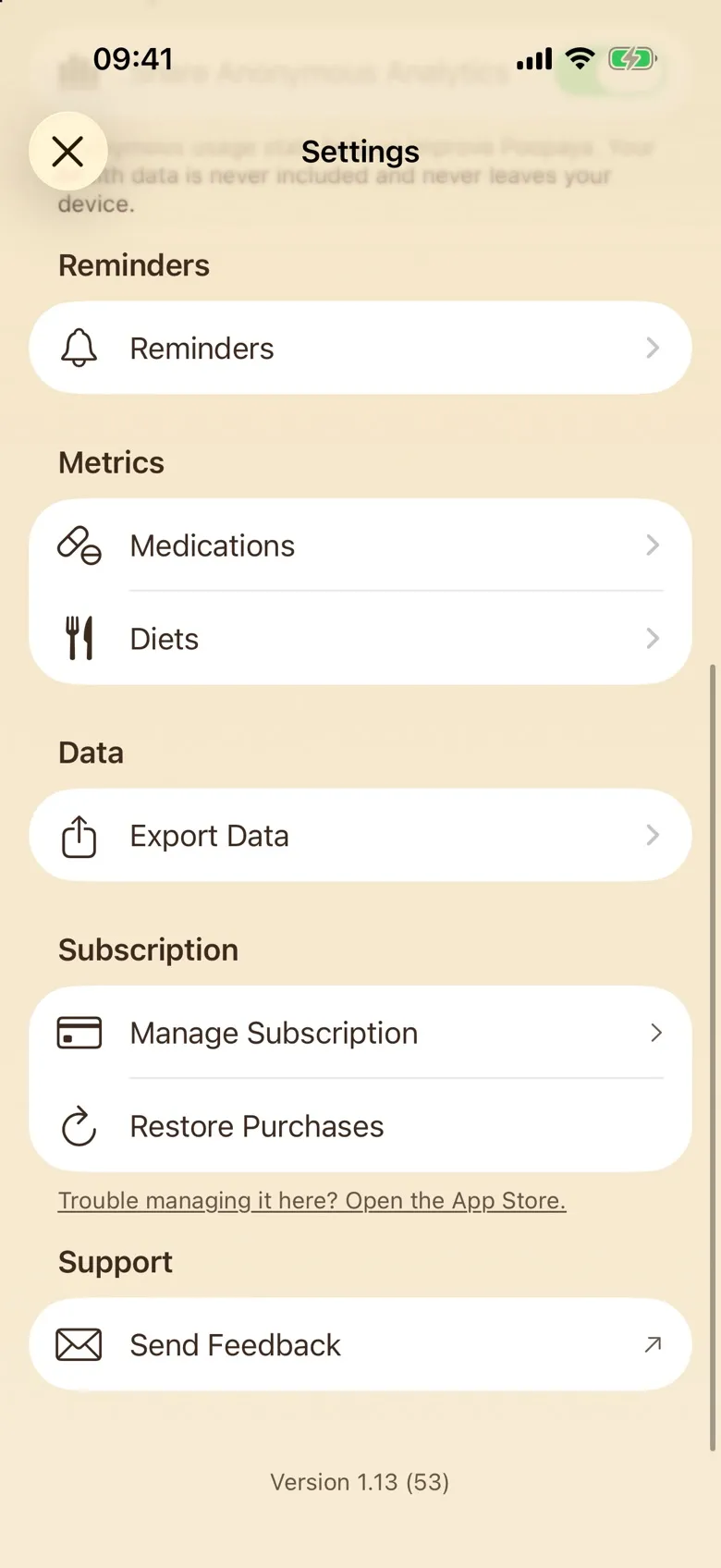
- Tap the gear icon at the top left to open Settings.
- Scroll to Subscription and tap Restore Purchases.
You’ll see Purchases restored! when it works. The Gold screen also has its own restore link at the bottom.
Manage or cancel Gold
In Settings, under Subscription, tap Manage Subscription. This row only appears while Gold is active.
A sheet opens where you can change plans, cancel, restore past purchases or ask Apple for a refund. If you cancel, Poopaya asks why you’re leaving, and depending on your answer you may get an offer to stay. Taking it is up to you.
You can also cancel without opening Poopaya. Apple handles every Poopaya subscription, so go to your iPhone’s Settings app, tap your name, then Subscriptions, then Poopaya.
Cancelling stops the next renewal. You keep Gold until the end of the period you’ve paid for. A lifetime purchase never renews, so there’s nothing to cancel.
If you stop Gold
Your logs stay exactly where they are, and logging stays free. Charts, Insights and the Toolkit’s matches and experiments go back behind their Gold prompts. Reminders you already set keep working, but you can’t add another until you have Gold again. Face ID Lock stays on if you had it on, and you can still turn it off in Settings. Turning it back on needs Gold.
If something doesn’t look right
- You paid, but Gold features are still locked. Tap Restore Purchases in Settings. If you see No purchases found to restore., check that you’re signed in with the Apple ID you bought Gold with.
- Manage Subscription doesn’t load, or says it can’t find your subscription. Tap Trouble managing it here? Open the App Store. under the Subscription section. That opens Apple’s subscriptions page, where you can change or cancel Gold.
- You don’t see a free trial. The trial is only on the yearly plan, and Apple only gives it once per Apple ID. If you’ve had it before, the yearly plan starts at the full price.
Still stuck? Email [email protected], or in Settings tap Send Feedback.